Module 04 · Site plans
The public site plan and lead capture
How to publish the project's availability online with GoSoft's public site plan: the visitor sees available lots, their measurements and price, confirms their email, answers the questionnaire, downloads their quote and the company receives the lead.
A prospect looking at the plan at eleven at night won't wait for the office to open. The public site plan puts the project's availability online: anyone can see the available lots and request a quote, and the company receives the lead with the details of the lot they liked.
- Explain what the visitor sees on the public site plan.
- Understand how the prospect is verified and what data they leave.
- Use incoming leads for follow-up.
What the visitor sees
- The company's published projects, to choose one.
- The plan with available and unavailable lots.
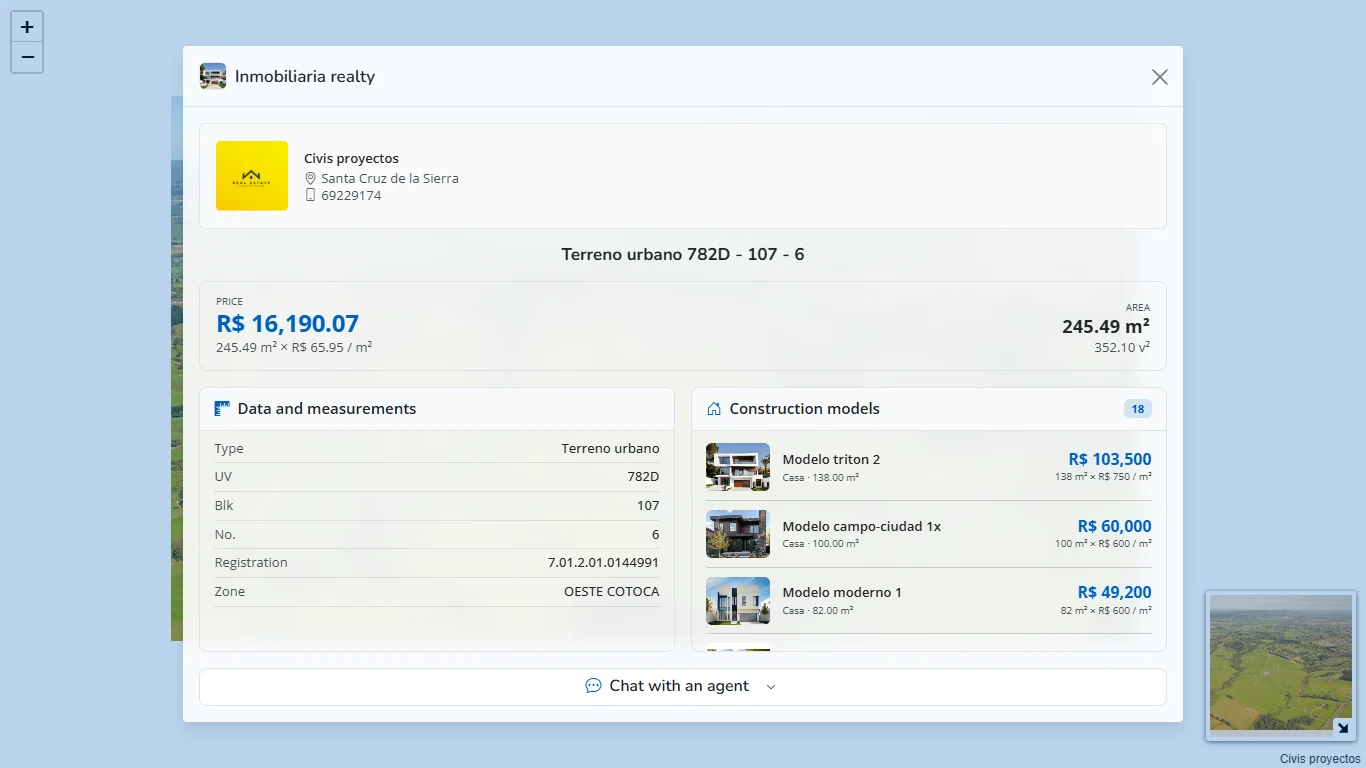
- On tapping an available lot: its data and measurements (area, frontage, depth, boundaries) and its price.
Projects of a paused unit are not shown.
How they leave their details
- The prospect enters their name and email.
- GoSoft emails them a 4-digit code, with the project's logo. Entering it verifies them (avoiding fake leads).
- They answer the questionnaire you configured: how they heard about the project, why they're buying, timing, preferred payment method…
- They download their quote or choose to talk to an agent.
What the company receives
An email with the lead, the lot they chose, what they did (viewed the lot, downloaded the quote, asked for an agent) and their answers. With that, the salesperson calls knowing what interests them.
The answers tell you where customers come from (social media, referrals, the sign at the site) and what they're looking for. After a few months of data you'll know which advertising to invest in.
In GoSoft, step by step
In Sales contracts → Public floor plan you open the project's public page, as the visitor sees it. Copy its address to publish it.
Public site plan with available lots Publish the link on your website, on social media, as a QR code on the sign at the site or on WhatsApp.
When a lead arrives, register them as a customer and follow up (see Customers).
Self-assessment
What is the code sent to the prospect's email for?
To verify the email is real and avoid fake leads.
What does the company receive when a prospect downloads a quote?
An email with their details, the chosen lot, what they did and their questionnaire answers.
Are a paused unit's projects shown on the public site plan?
No.