Module 06 · Collecting
Late fees: grace days, rates and calculation
How the late fee on a real estate installment is calculated: fixed amount per day, percentage of the installment per day or the maximum legal rate (Colombia's Superintendency), grace days, the late fee already collected and how it shows on the plan and the receipt.
A late fee has two goals: to compensate the company for money that arrives late and to discourage delay. If it's too low, no one minds paying late; if it's abusive, the customer gets angry and it may be illegal. It has to be clear, be in the contract and always be calculated the same way.
- Calculate the late fee with each type of penalty.
- Apply grace days.
- Read the late fee on the plan and explain it on the receipt.
Penalty types
| Type | Formula | Example (2,000,000 installment, 12 days late) |
|---|---|---|
| Fixed amount per day | Value × days | 5,000 × 12 = 60,000 |
| % of the overdue installment, per day | Installment balance × % × days | 2,000,000 × 0.1 % × 12 = 24,000 |
| Maximum legal rate (Colombia) | Overdue principal × the month's maximum late rate, for the days late | According to the published rate |
In Colombia the late fee can't exceed the maximum rate the Financial Superintendency publishes each month. GoSoft fetches those rates automatically (you can also enter them by hand) and calculates the late fee month by month with the rate that applied.
Grace days
These are the days of tolerance after the due date. If the customer pays within them, there's no late fee. If they go past them, the fee counts from the first day late.
| Due | Grace | Paid | Days late | Late fee (5,000 per day) |
|---|---|---|---|---|
| Mar 10 | 5 days | Mar 14 | 4 | 0 |
| Mar 10 | 5 days | Mar 18 | 8 | 40,000 |
Late fee already collected
If the customer pays part of the late fee, the rest stays pending; on the next payment only the accumulated fee minus what's already been paid is charged. The same late fee is never charged twice.
When it's charged (and when it isn't)
- The late fee shows on the plan from the moment the installment falls due, but it's booked as income only when collected.
- A contract may not charge late fees: then payments go only to interest and principal.
- When redistributing payments on a contract you can decide whether to consider the late fee and from what date.
In GoSoft, step by step
Set each project's late fee in My company → the unit's card → Configure late fee: penalty type, value per day and grace days (see Settings).
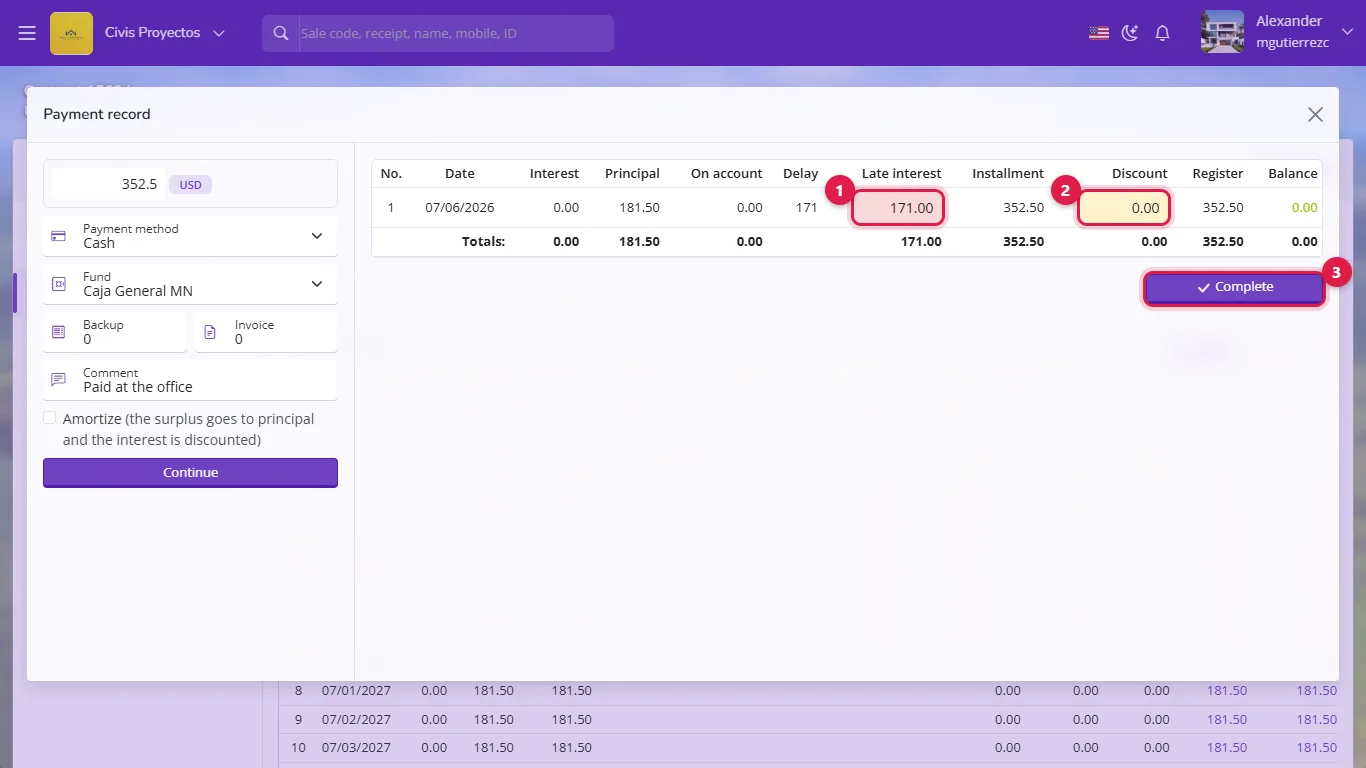
In each contract's payment plan you'll see, per installment, the days late and the late fee, with the configured fee.
Payment plan with days late and late fee per installment When collecting, the late fee is collected first and shows on its own line of the receipt.
For Colombia, choose the Superintendency in the late fee setup and review the monthly rates with Fetch from the Superintendency.
The contract's late fee clause must say the same as the settings: the type, the value and the grace days. If they don't match, the customer can dispute every receipt.
Self-assessment
Late fee of 0.2 % of the installment per day. A 1,500,000 installment 10 days late. How much is the fee?
1,500,000 × 0.2 % × 10 = 30,000.
3 grace days. The customer pays 2 days late. Do they pay a late fee?
No.
And if they pay 6 days late at 5,000 per day?
6 × 5,000 = 30,000: after the grace days, it counts from the first day.
The customer already paid 20,000 of an accumulated fee of 50,000. How much is charged on the next payment?
30,000 (plus whatever has accrued since).